On a credit plan? You don't need any of this — we run the AI for you. This page is only for bring-your-own-key (BYOK) users. See Getting Started instead.
Maneku uses three providers. You'll create an account with each, generate a key, and paste it into Maneku. A key is shown only once at creation — copy it straight away; if you lose it, you just delete it and make a new one.
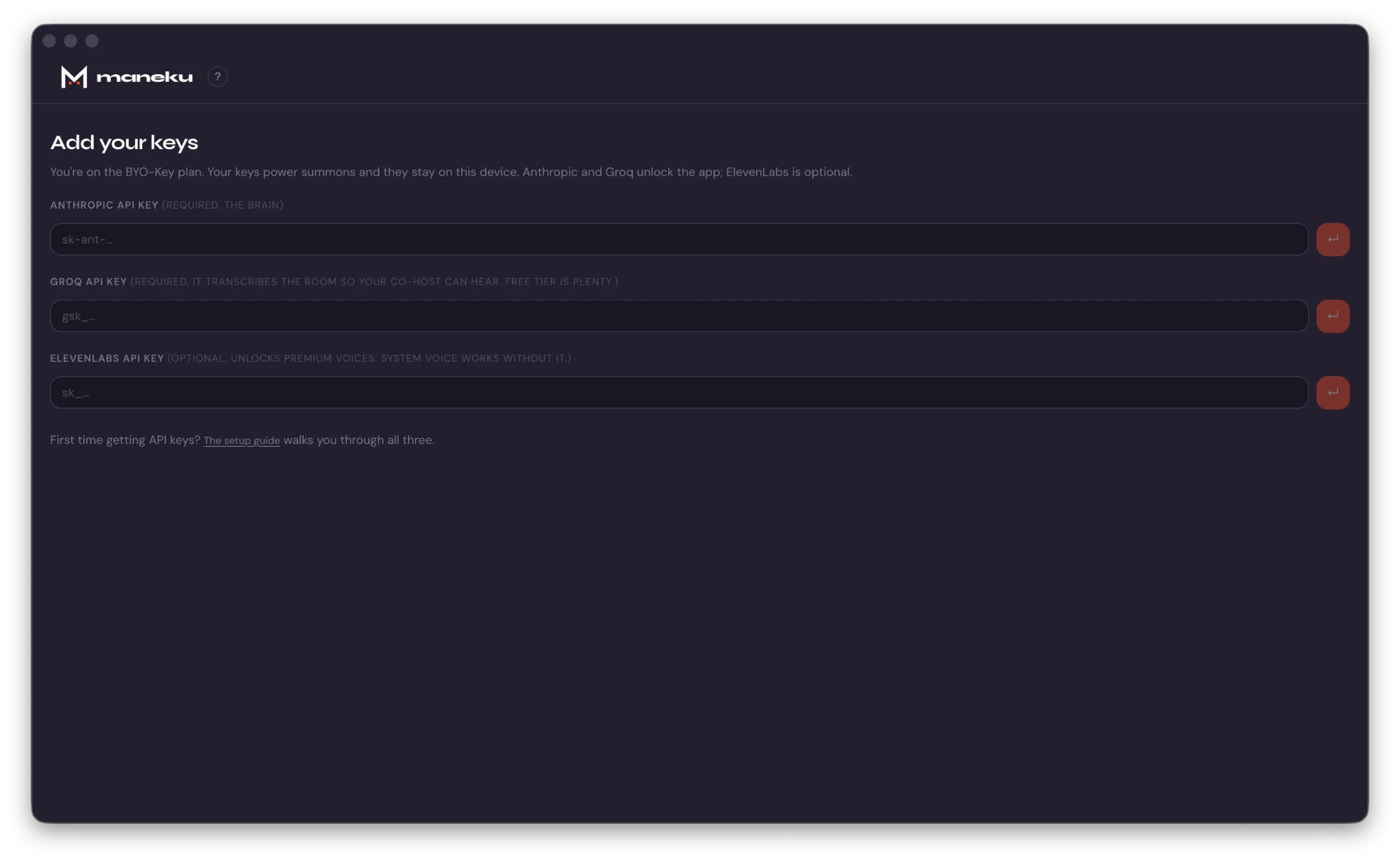
- Anthropic Required — generates the co-host's responses.
- Groq Required — transcribes the room so the co-host has something to respond to.
- ElevenLabs Optional — a higher-quality voice; skip it and Maneku uses your computer's built-in voice.
Anthropic Required
Powers the co-host's responses. Key looks like sk-ant-…
Go to console.anthropic.com and sign up or sign in.
Add billing first. Open Settings → Billing and add a card / buy prepaid credits. New accounts sometimes include trial credit (you may be asked for a phone number to claim it). This step matters: a brand-new key will be rejected until the account can be billed — it's the #1 cause of "key doesn't work."
Open API Keys in the left sidebar (direct link: console.anthropic.com/settings/keys), then click Create Key.
Give it a name like
manekuand create it. Copy the key now — it starts withsk-ant-and is shown only this once.In Maneku, paste it into the Anthropic field on the first-launch key screen (or later in Settings) and hit the save arrow.
What it costs: we checked our own session logs before writing this. A full episode of summons has never crossed fifty cents of Anthropic usage, and most episodes land between ten and forty cents. $5 of prepaid credit realistically covers a season. One tip: turn on auto-reload in Anthropic's billing settings, so a busy month can't silently drain the balance. A drained balance looks exactly like a broken key.
Groq Required
Transcribes the conversation. No credit card needed. Key looks like gsk_…
Groq with a q — the fast AI-hardware company at groq.com, not Grok, the X/xAI chatbot. Easy to mix up, entirely different things.
Go to console.groq.com and create an account (Google, GitHub, or email — verify your email if asked).
Open API Keys in the left sidebar, or go straight to console.groq.com/keys.
Click Create API Key, give it a name like
maneku, and submit.Copy the key immediately — it starts with
gsk_and is shown only once. After you close the dialog it can't be retrieved.In Maneku, paste it into the Groq field on the first-launch key screen (or later in Settings) and hit the save arrow.
Why required? The co-host replies to a live transcript of the conversation, and Groq is what produces that transcript. Without it, the co-host has nothing to respond to.
Cost: Groq's free tier has covered every show we've run — we've never hit its limits in normal podcast use. That's subject to Groq's current free-tier limits and policies, so if transcription ever stops working, check your Groq console first.
ElevenLabs Optional
A more natural voice than your computer's built-in one. Skip to the end if you don't want it.
Monetized show? You'll need a paid ElevenLabs plan. Their free tier is licensed for non-commercial use only and requires crediting ElevenLabs in your content — so a show with ads, sponsors, or memberships can't legally run on it. Commercial rights come with their paid plans; check elevenlabs.io/pricing for current tiers and voice minutes.
Go to elevenlabs.io and sign up or sign in.
Click Developers in the left sidebar, then the API Keys tab.
Click Create Key and give it a name like
maneku.Enable the right permission. New ElevenLabs keys are restricted by default — you pick which features the key can use. Make sure Text to Speech is enabled, or the key won't work with Maneku. (You can leave an optional credit limit if you want a spending cap.)
Create it and copy the key now — after creation you'll only ever see its name and last few characters.
In Maneku, paste it into the ElevenLabs field on the first-launch key screen (or later in Settings), then choose ElevenLabs as your voice provider.
Heads-up: if the co-host stays silent or falls back to the system voice after adding ElevenLabs, the key is almost always missing the Text to Speech permission. Re-create it with that enabled.
Privacy tip: by default ElevenLabs may use what you send it to improve its models. You can switch that off in your ElevenLabs account under Terms and Privacy → Data use. Details on what each provider sees: Where your data goes.
You're set
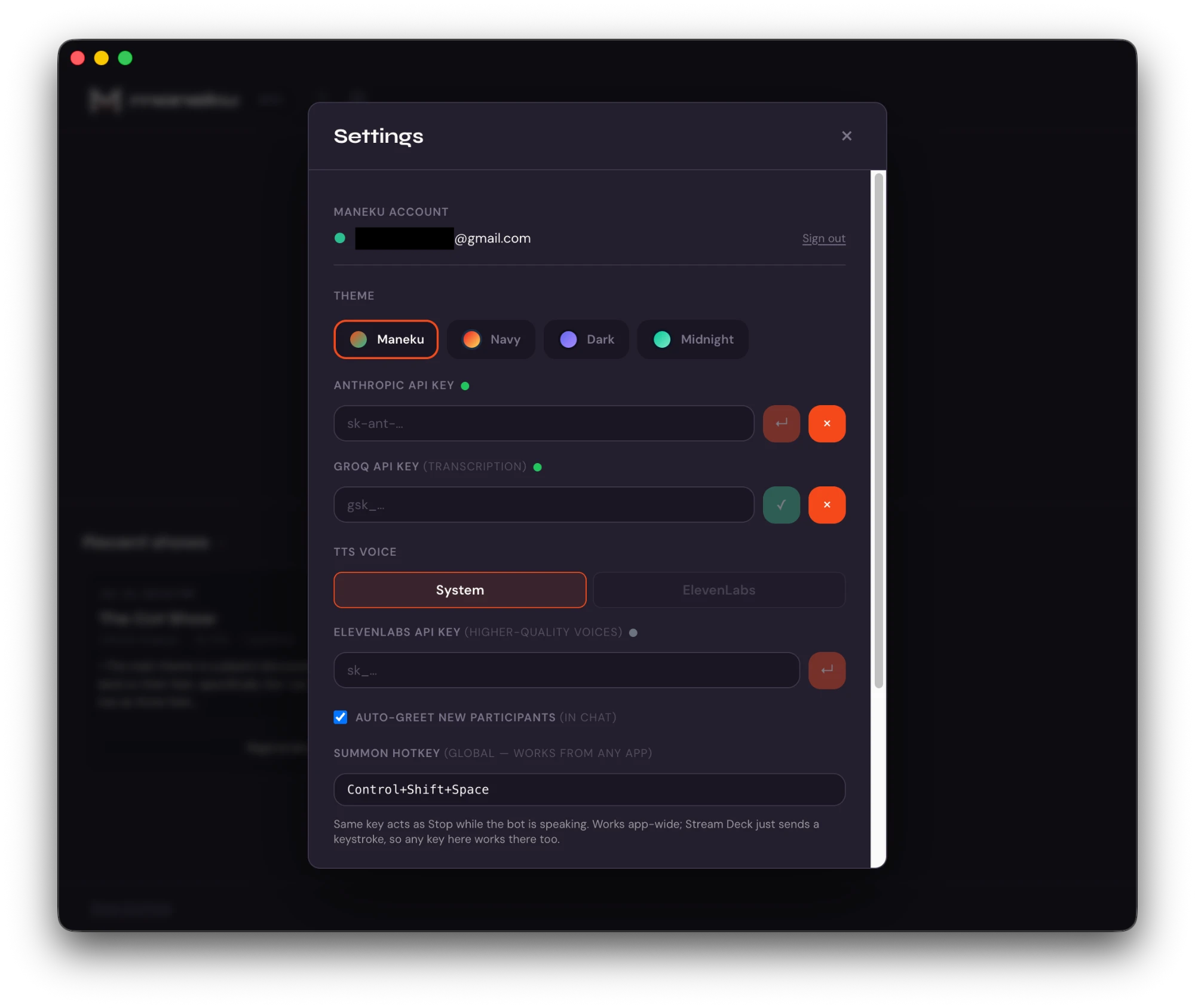
Once Anthropic and Groq show green checks (and ElevenLabs too, if you added it), you're ready to join a room. Keys are stored encrypted on your own device, sealed with a key held in your macOS Keychain, and are never sent to Maneku.
Trouble with a key? See Troubleshooting → API keys, or email support@maneku.ai.